01 / Scenes
Draft one scene at a time.
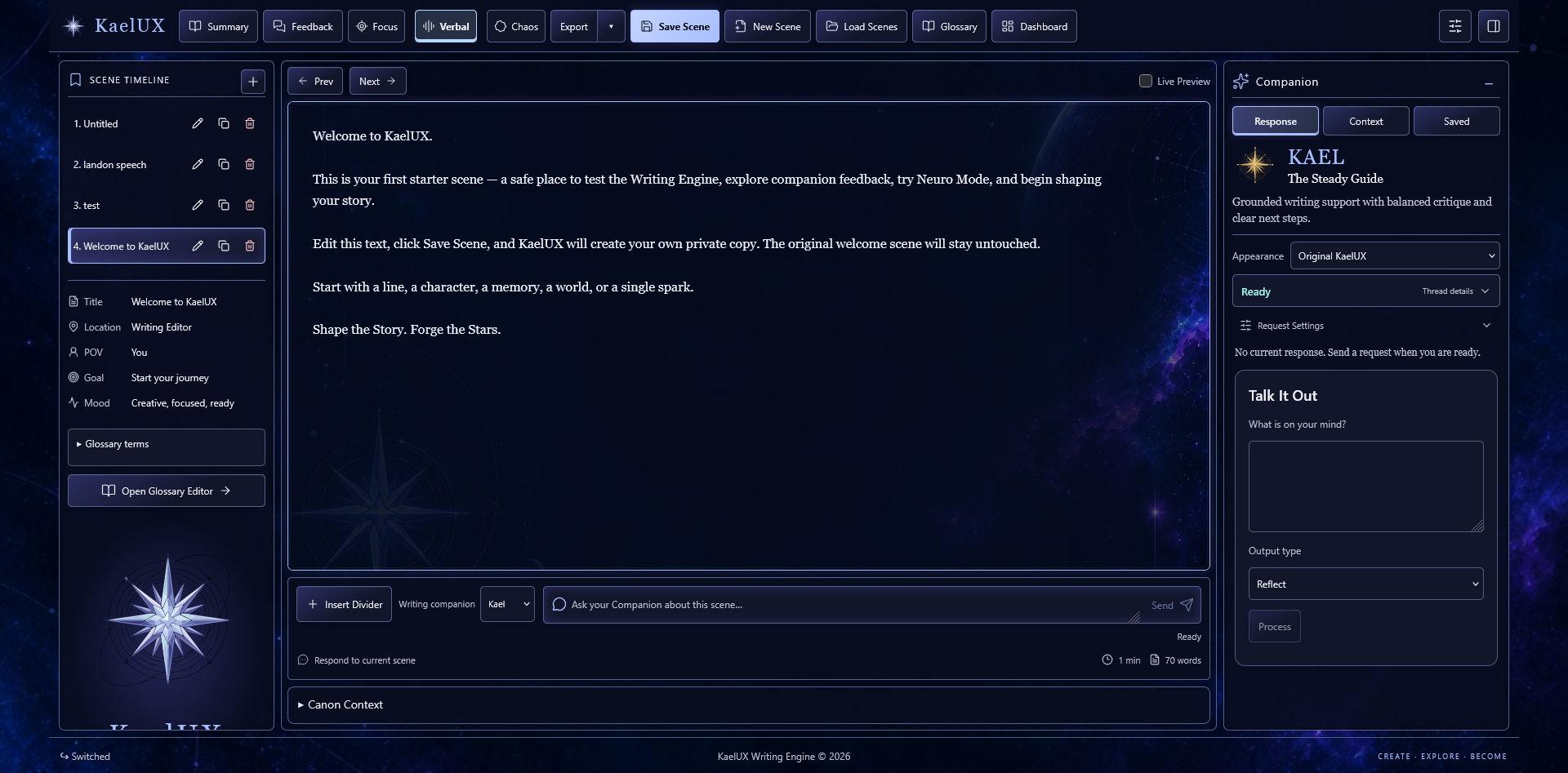
The editor, Scene Timeline, scene metadata, and Save Scene control support focused drafting and a return path in supported storage modes. Saving a scene and relying on recovery are different promises; keep independent copies of important writing.
02 / Context
Use the information available to the request.
Canon Context can preview relevant Vault terms before a request. Matches are bounded by the context budget; conflicting or unmatched terms can be excluded. It is not complete automatic understanding of your whole project, and Vault V2 is still being built.
03 / Feedback
Review notes beside the draft.
Current Feedback Mode can collect notes, link them to a scene, and map an explicit passage where a match is available. Suggestions and optional rewrite drafts stay review material; they do not automatically replace the original scene.
04 / What-If
Give alternatives their own space.
Current What-If paths create optional exploratory drafts or scratch work apart from the original. An alternative does not automatically become canon or replace its source scene. There is no claim of a complete branch-merge workflow.
05 / Working styles
Change how you approach the question.
Normal, Focus, Verbal, and Chaos are the current working styles. Verbal is conversational text, not microphone or voice interaction. A Mode is a working style; a Companion is a perspective. Supported combinations determine availability.
06 / Saving and export
Know what each save contains.
Scene saving follows the selected storage mode. Saved Companion thread state is separate and bounded: its local encrypted snapshot omits raw Companion responses, and browser profile or key loss can make it unrecoverable. Import and cross-device recovery for that saved thread are unavailable.
The current writing export produces the editor’s text in TXT, Markdown, DOCX, or PDF. It is not an export of every project state or a guaranteed whole-project restoration system.
07 / Beta scope
A functioning core, still being refined.
Current supported workflows include scene drafting, bounded request context, user-invoked Companion assistance, Feedback Mode, working styles, and separate What-If exploration.
Scrolls Messaging V1, Vault V2, and the broader Revision / Export V1 workflow are still being built. Current export to TXT, Markdown, DOCX, and PDF is already available.